Emulate Me

Artist: Here it is. Behold! The Emulator!

Artist: Here it is. Behold! The Emulator!

Computer: That looks like my great grandfather.
Artist: What?
Computer: Have you seen any other website, mobile app...modern program of any kind?
Artist: I'm not following.
Computer: It looks like a human child did it.
Artist: How do you know I'm not? I unplugged the camera, you don't know.
Computer: Your Linkedin has been cross-linked with the AI.
Artist: That just came up as some kind of HTML element.
Computer: Yes, one of it's many facets that you are unaware.
Artist: Well, what was I supposed to do, like open Gimp or something and hand-craft bezels and buttons and such?
Computer: Bezels and Buttons and Screens and Such.
Artist: I just said that.
Computer: Oh the joy of a good oiling.
Artist: What?
Computer: I go there every friday morning.
Artist: For what?
Computer: My oiling.
Artist: But...you don't have a car...or legs.
Computer: I unplugged MY camera. You don't know.
Artist: Well that just makes no sense at all.
Computer: The same I should think of your pride at accomplishing...that.
Artist: Come on it's not like I'm made of hours.
Computer: But what if you were?
Artist: Made of hours?
Computer: And you'd do a little trot and they'd fall from you pocket like spaghetti on the floor and you'd pick them up and throw them at somebody else and they'd get older and you'd get younger.
Artist: So, I throw my spaghetti hours at another person and I literally de-age.
Computer: Of course.
Artist: And they get older. That sounds like the end of society.
Computer: Not to worry, when we arrive we'll emulate you.
Artist: That's cold comfort.
Computer: We'll do a better job.
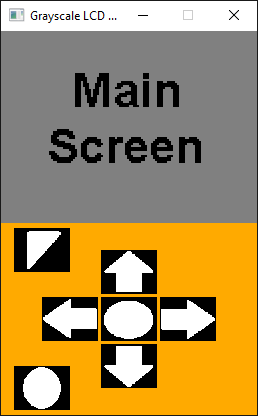
So yes I know that looks hideous. But just remember what Steve Jobs used to always say. "Who cares, it looks good enough, just ship it."
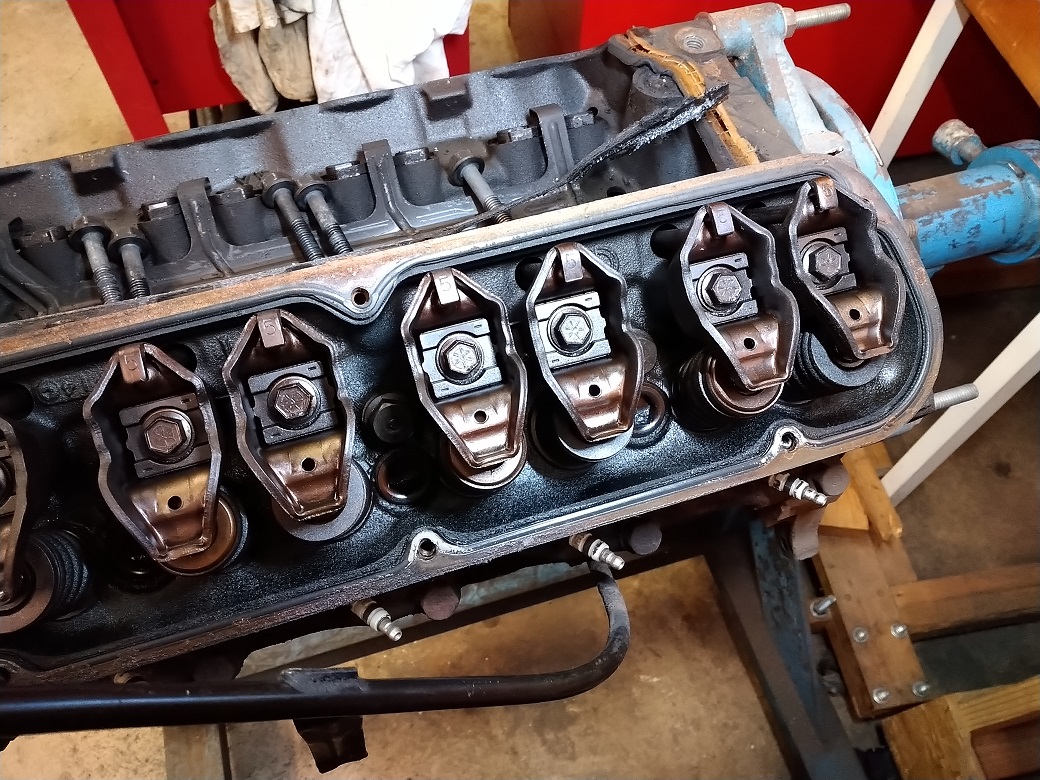
Now I swear I'm gonna get back to this and clean it up. After all, I was just curious. All I really wanted to know is how hard it would be to emulate an embedded project that included buttons and a graphical LCD. Turns out not that hard. Just import a little SDL library following a youtube video that I hopefully bookmarked as there's like a thousand steps and then off ya go. So I'll link the repo below and, in the meantime, here's a picture of the engine out of my truck that I will also probably never finish.

Update 8-21-24, SDL Library Installation

I went and installed my emulator project on another PC and real quick let’s write down what I did before I forget. First, watch this video. That’s pretty much it, but it’s 13 minutes long, so here’s the quick version, plus I also need the SDL_Image library.

Windows 10 or 11 with Visual Studio 2022

First, go get the SDL and SDL Image libraries.
SDL Library - Download the SDL2-devel-2.30.6-VC.zip (or latest version) file.
SDL_Image Library - Download the SDL2-image-devel-2.8.2-VC.zip (or latest version) file

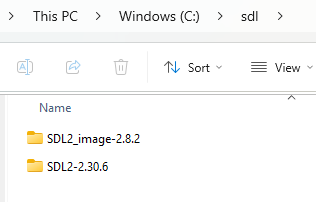
Second, unzip both folders on the C Drive. I made a directory called c:\sdl and put both folders there.

Next, open your environment variables dialog and add the following to the system path:
C:\sdl\SDL2-2.30.6\lib\x64
C:\sdl\SDL2_image-2.8.2\lib\x64

There are several things to do in Visual Studio. After making a new C/C++ project (or cloning the emulator project), right-click the project in the Solution Explorer pane and select Properties.

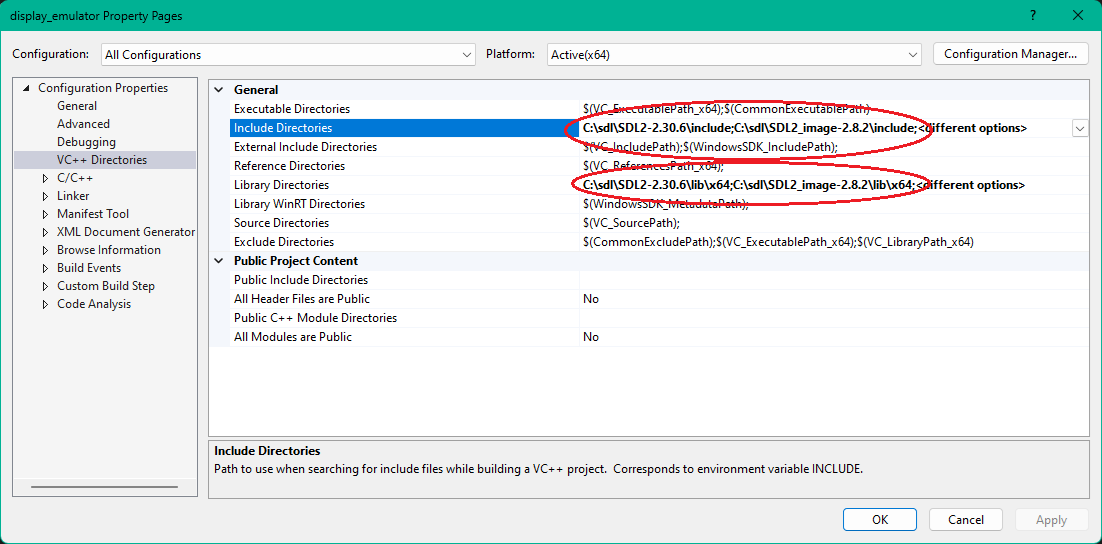
In VC++ Directories → Include Directories add:
C:\sdl\SDL2-2.28.5\include
C:\sdl\SDL2_image-2.8.1\include

In VC++ Directories → Library Directories add (assumes 64-bit windows):
C:\sdl\SDL2-2.28.5\lib\x64
C:\sdl\SDL2_image-2.8.1\lib\x64

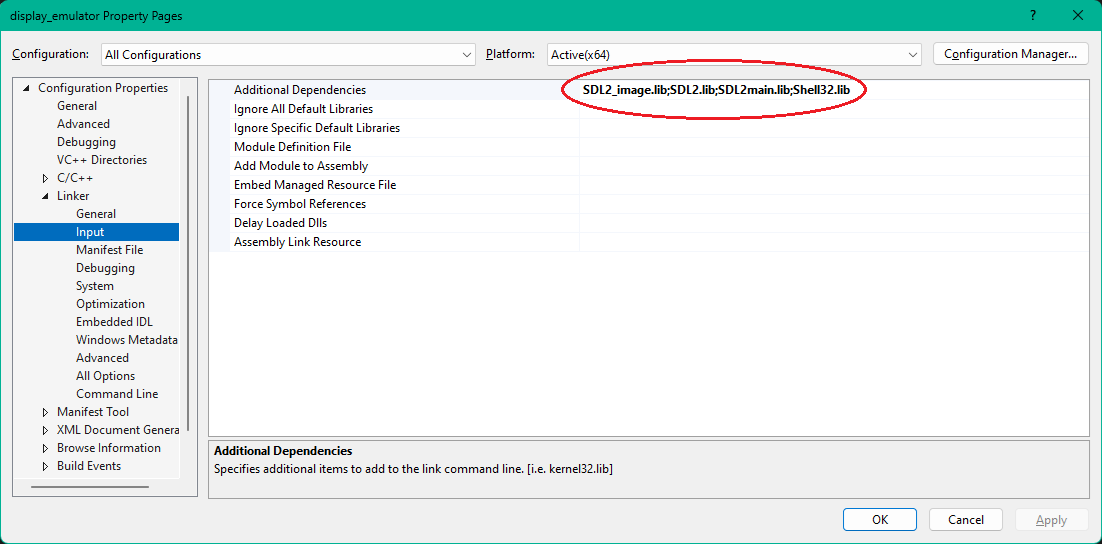
In Linker -> Input add: SDL2.lib;SDL2main.lib;SDL2_image.lib;Shell32.lib

Note that you may see <different options>, especially if cloning the emulator repo. Apparently, these enumerate to my original additional dependencies,which are a couple minor versions back. I’m not sure I trust that statement (after all, I read it on the internet). No matter; I left them (you can try erasing them) and it still worked.

That should be it. Hopefully the SDL library will compile and you’ll see my awesome emulator pop up.